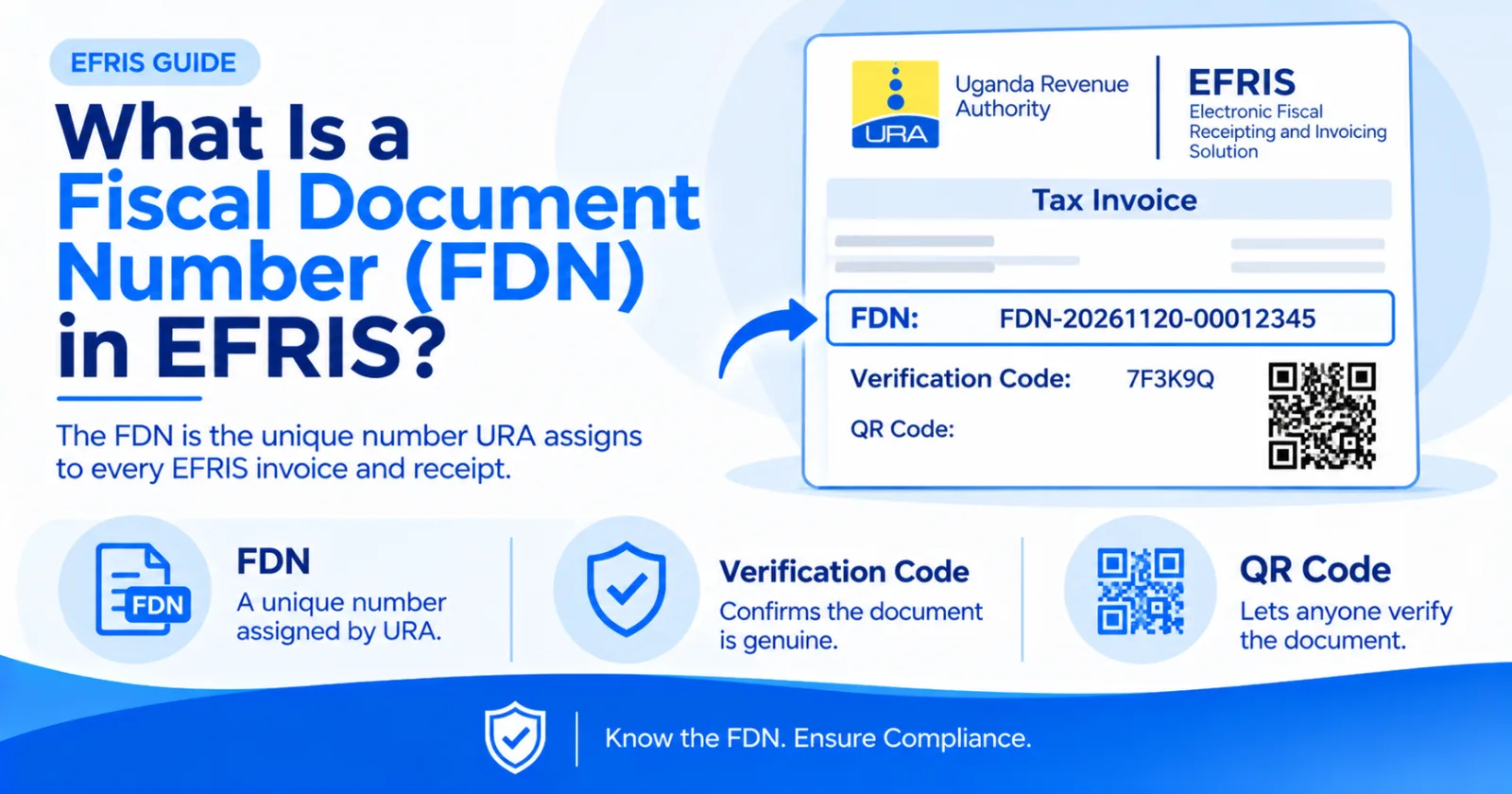
The FDN is the unique number URA assigns to every EFRIS invoice and receipt. What it is, how it's generated and why buyers and sellers need it.
Every genuine EFRIS invoice, receipt, credit note and debit note has three identifiers that a normal receipt doesn't: a Fiscal Document Number (FDN), a verification code and a QR code. Of the three, the FDN matters most. It's how URA, your customer and your accountant identify that exact transaction.
The FDN is a unique number that URA's EFRIS server assigns to a document when it's fiscalised. Your own invoice number (say INV-00452) is your internal reference. The FDN is URA's reference. Two businesses can both have an "INV-00452", but no two fiscal documents share an FDN.
You complete a sale in your POS, the EFRIS app, the desktop client or the portal.
The transaction data is encrypted and sent to the EFRIS server.
EFRIS validates the data: your TIN, the configured products, tax categories and stock.
EFRIS assigns the FDN, generates the verification code and QR code, and sends the fiscalised document back.
Your system prints or sends the document with those identifiers on it.
Online, this takes a second or two. In offline mode, the document is signed locally and fully registered with URA when the device reconnects, which must be within five days.
Every fiscal document issued through EFRIS contains three important identifiers: the Fiscal Document Number (FDN), the verification code and the QR code. Although they serve different purposes, they work together to help identify and verify the authenticity of a transaction.
1. Fiscal Document Number (FDN)
What it does: A unique number assigned to every fiscal document.
How it is used: Helps identify and retrieve a specific document. It is also referenced when issuing credit or debit notes against the original transaction.
2. Verification Code
What it does: A unique security code associated with a fiscal document.
How it is used: Helps verify the authenticity of a document and confirm that its details match the record held by URA.
3. QR Code
What it does: A scannable code containing fiscal document information.
How it is used: Allows customers and other interested parties to scan the document using the EFRIS app and verify the transaction against URA's records.
Corrections: every credit note or debit note must reference the original FDN. Without it, you can't correct the sale.
Disputes: if a customer claims they were overcharged, the FDN pulls up exactly what URA received.
Reconciliation: matching FDNs between your POS and EFRIS reports shows you any sale that failed to fiscalise.
Input VAT: VAT credits on purchases depend on e-invoices from your suppliers. Keep the FDN of every purchase invoice.
Expense deductions: Section 22(3)(m) of the Income Tax Act disallows expenses without e-invoices or e-receipts from suppliers required to use EFRIS. The FDN is your evidence.
Fraud protection: a printed invoice with no FDN, or an FDN that doesn't validate, isn't a fiscal document, however official it looks.
Open the fiscal document validation window in the EFRIS app or on the EFRIS portal, enter the FDN and the date it was generated, and click validate. A genuine document re-displays its details. Compare them with the paper you're holding. Full steps: How to Verify an EFRIS Invoice or Receipt.
For every purchase document, capture at least: supplier name and TIN, FDN, verification code, date, net amount, VAT amount and total. Your accountant will thank you at VAT return time, and URA will look for exactly these details in an audit.
No. Each FDN is unique across EFRIS.
Probably not. Fiscal documents carry an FDN, a verification code and a QR code. Validate it to be sure.
Yes, if it is integrated with EFRIS. EFRIS Simplified returns the FDN and QR code from URA to your system and keeps a full audit trail of every submission, so you can match each invoice in your books to its fiscal record.
Share this article