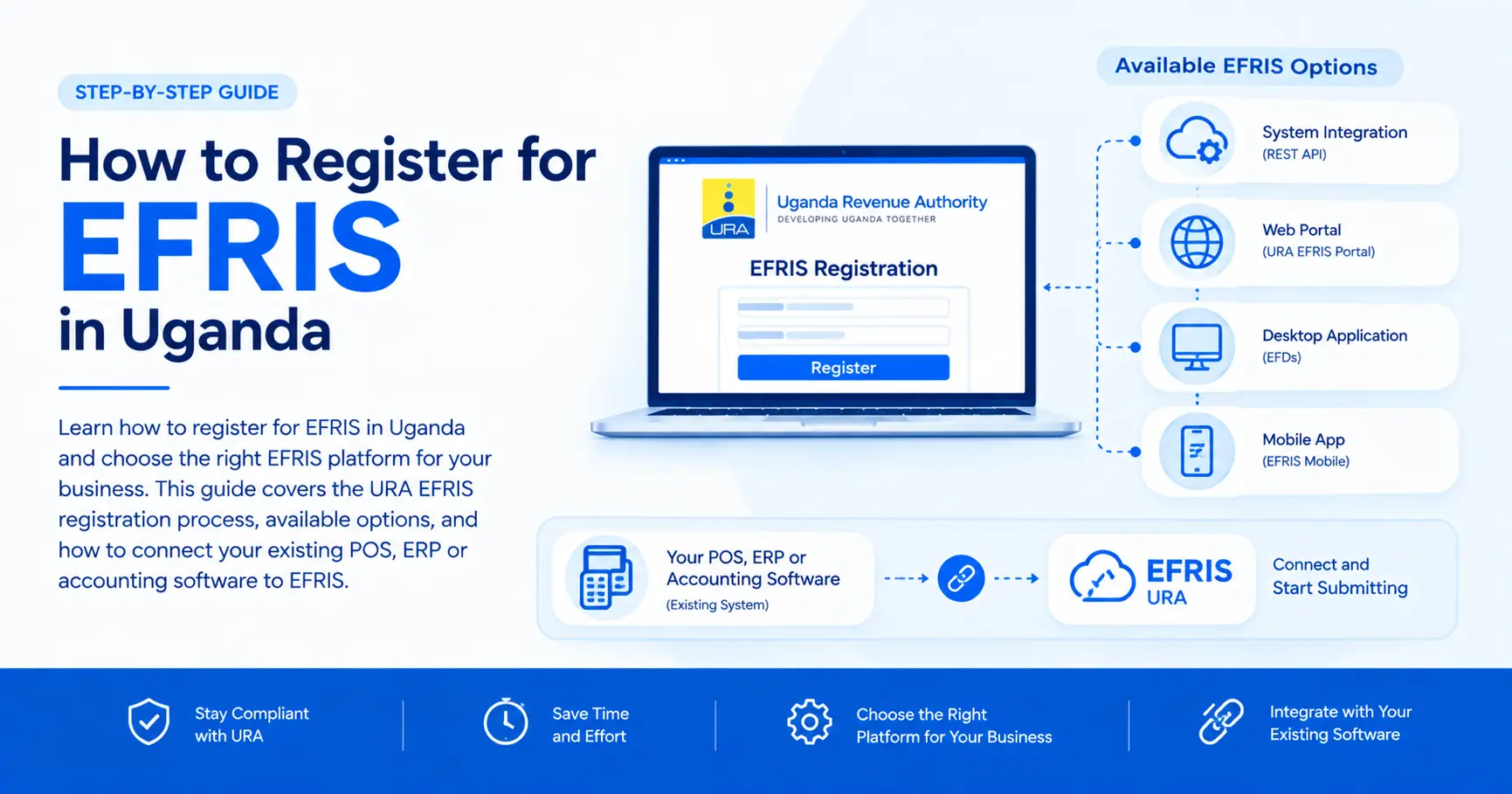
Learn how to register for EFRIS in Uganda and choose the right EFRIS platform for your business. This guide explains the URA EFRIS registration process, available options including system integration, the web portal, desktop application, EFDs and mobile app, plus how to connect your existing POS, ERP or accounting software to EFRIS.
If your business is required to use the Electronic Fiscal Receipting and Invoicing Solution (EFRIS), one of the first steps is to register and select an EFRIS platform that suits the way your business operates.
The Uganda Revenue Authority (URA) provides several options for issuing electronic invoices and electronic receipts. These include system integration, the URA web portal, the EFRIS desktop application, Electronic Fiscal Devices (EFDs), and the URA mobile application.
This guide explains the EFRIS registration process and the different EFRIS platforms available to taxpayers.
Official source: Uganda Revenue Authority (URA) - EFRIS registration and platform guidance.
According to the Uganda Revenue Authority, taxpayers can register for EFRIS through the URA web portal.
The registration process involves the following steps.
Visit the official Uganda Revenue Authority (URA) web portal and access the e-invoicing section.
You will need to log in using your Taxpayer Identification Number (TIN) account.
After logging into your TIN account, a one-time password (OTP) will be sent to your registered email address or phone number, depending on your preferred verification method.
Enter the OTP to continue with the registration process.
Select “First time registration” and provide the required information.
During this process, you will specify whether you intend to use:
You should also include any additional places of business, where applicable.
After completing the application, submit it to URA for approval.
Once URA approves your application, you can proceed with configuring your business for EFRIS.
This includes registering or configuring the products or services that you will use when issuing electronic invoices or electronic receipts.
After completing the necessary configuration, your business can begin issuing EFRIS-compliant e-invoices or e-receipts using your selected platform.
URA provides several EFRIS platforms so that taxpayers can choose an option that fits their business operations and transaction volumes.
The right choice depends largely on whether you already have a billing system, how many transactions you process, and whether you need to operate when internet connectivity is unavailable.
System Integration is suitable for businesses that already have a sales, invoicing, billing, POS, accounting or other business management system.
Instead of abandoning the existing system and manually entering transactions into another platform, the taxpayer can continue using their existing system to issue e-receipts and e-invoices through an EFRIS integration.
This option is particularly useful for businesses that process a large number of transactions or already have established digital workflows.
For example, a business using a POS system can integrate that system with EFRIS so that sales processed through the POS can be handled as EFRIS transactions without requiring staff to manually duplicate every sale on the URA portal.
This is where an EFRIS middleware solution can be useful.
EFRIS Simplified provides an integration layer for businesses that want to connect their existing software to URA EFRIS.
Instead of building and maintaining the entire EFRIS integration internally, businesses can use EFRIS Simplified to connect their ERP, accounting software, POS or custom application to EFRIS.
The goal is to allow businesses to continue using the systems they already understand while reducing duplicate data entry and the technical work involved in maintaining an EFRIS integration.
The URA web portal is suitable for taxpayers who do not have an existing billing system and have a relatively low volume of transactions.
With this option, the taxpayer logs into their account on the URA web portal and manually issues e-invoices or e-receipts.
This can be a practical option for a small business that only needs to issue a limited number of electronic invoices or receipts and does not require a dedicated billing or POS system.
However, manually entering a large number of transactions can become time-consuming as transaction volumes increase.
The EFRIS Desktop (Client) Application is another option for taxpayers who do not have an existing billing system.
The application can be downloaded and installed on a computer and used to issue e-invoices and e-receipts.
One of its important features is an offline capability, which can be useful when internet connectivity is intermittent.
This makes the desktop application an option for businesses that need to continue issuing receipts or invoices during temporary connectivity problems.
Electronic Fiscal Devices (EFDs) are suitable for taxpayers with relatively few transactions, particularly businesses that operate through field, route or mobile sales.
An EFD can be used to issue fiscal receipts in situations where a traditional computer-based invoicing system may not be practical.
URA specifies that an EFD used by a taxpayer should be accredited by URA.
Businesses considering this option should therefore ensure that the device they use meets the applicable URA requirements.
The URA Mobile Application is intended for small taxpayers with relatively small volumes of transactions.
The application provides another way for eligible taxpayers to issue e-invoices or e-receipts without needing a full desktop billing system.
According to URA, the application is available for download through the iOS or Google Play Store.
Choosing an EFRIS platform becomes easier when you consider your existing systems and transaction volume.
| EFRIS PlatformBest suited for | |
| System Integration | Businesses with existing sales, invoicing, billing, POS or ERP systems |
| URA Web Portal | Businesses without billing systems and with low transaction volumes |
| Desktop Application | Businesses without billing systems that want a desktop solution with offline capability |
| EFDs | Businesses with relatively few transactions and field, route or mobile sales |
| URA Mobile Application | Small taxpayers with small transaction volumes |
There is no single EFRIS platform that is best for every business. The appropriate option depends on how your business operates.
A small business with only a few transactions may find the URA web portal or mobile application sufficient.
On the other hand, a business already processing hundreds or thousands of sales through a POS, ERP, accounting system or custom application may benefit more from system integration.
You do not necessarily need to replace your existing software simply because you need to comply with EFRIS.
URA's System Integration option is specifically intended for taxpayers with existing sales, invoicing or billing systems.
This means your existing software can potentially be connected to EFRIS so that your business can continue using its normal workflow while meeting its EFRIS obligations.
For businesses processing many transactions, integration can also reduce the operational burden associated with manually entering the same transaction into both a business system and the URA portal.
For example:
Without integration:
Customer purchase → POS/ERP → Manually enter transaction into EFRIS
With integration:
Customer purchase → POS/ERP → EFRIS
The exact implementation depends on the software being used and the EFRIS integration requirements.
URA provides additional resources to help taxpayers understand how to register for and use EFRIS.
Taxpayers can access self-help video tutorials and user guides through the EFRIS resources provided by URA.
These resources cover various aspects of using the system and can be useful when setting up EFRIS for the first time.
For the latest registration instructions, platform information and EFRIS user guidance, taxpayers should always refer to the official resources provided by URA.
The simplest way to think about the available options is:
Consider System Integration.
The URA Web Portal may be suitable.
Consider the EFRIS Desktop (Client) Application.
An accredited Electronic Fiscal Device (EFD) may be appropriate.
The URA Mobile Application may be an option.
The important thing is to choose a platform that fits your actual business workflow rather than selecting an option simply because it is available.
If your business already uses a POS, ERP, accounting application or custom software, EFRIS Simplified can help you connect your existing system to URA EFRIS.
EFRIS Simplified is designed to handle the technical integration layer between your business software and EFRIS, allowing you to focus on running your business rather than maintaining the underlying EFRIS integration.
No developer needed.
Learn more about integrating your existing business software with EFRIS through EFRIS Simplified.
This article explains the EFRIS registration process and platform options based on information provided by the Uganda Revenue Authority (URA).
EFRIS requirements, procedures and available platforms may change. Taxpayers should always confirm the latest requirements and instructions directly with URA before making compliance decisions.
Taxpayers can access EFRIS registration information, platform guidance, user guides and video tutorials through the official Uganda Revenue Authority channels.
Uganda Revenue Authority: ura.go.ug
EFRIS resources: efristest.ura.go.ug/efrissite
For authoritative information about EFRIS, always refer to the Uganda Revenue Authority as the official source.
Share this article